

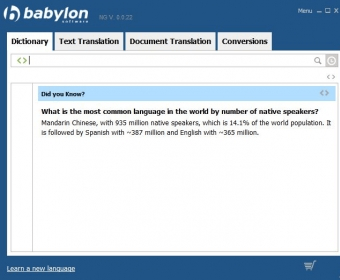
Babylon is a program that comes as an alternative to using your default browser to search word translations. With its help, you can find detailed word definitions and term pronunciation, translate text content from one of your Windows applications, and even import and transcribe entire DOC, PDF, PPT or XLS documents.
The application features two screens, one where you can find word definitions and pronunciations and another where you can paste text content and translate it to various languages. It also provides you with an option to import text documents and translate them within moments.
Unfortunately, buying the full version of the program doesn't unlock all of its features. For instance, you need to pay extra in order to get access to the correct pronunciation of all of the words within a text.
However, the most disappointing aspect is that the application occasionally fails to translate multiple phrases correctly. I imported a piece of French text from a website (that also gave access to the correct English translation). When I compared the two translation results I noticed that Babylon didn't translate several words and many times it transcribed the text word for word, making it difficult to read the final text.
In my opinion, using your default web browser to search word definitions, translations, and pronunciations seems a better choice than paying for an app that doesn't work 100%.




Comments (30)
I've tried to download another copy of Babylon 8 and I did not succeed.
Recently I had my computer upgraded and the man at the repair shop told me that he removed a lot of 'ballast' from my computer. Unfortunately, my Babylon program was amongst it and I would like to have it back. I tried to reinstall it, but your system will not let me do it. I find it very frustrating, especially since I am over 90 years old and not quite up to this modern stuff. Is it possible that the developer will send me information where I can reinstall my Babylon 8 plus all the extras I bought in one installation program? And maybe you can send me the CD for this.